Recording a bug, feature request and submitting feedback
In this video, I introduce the Helio Feedback Centre, where you can report bugs, request feature improvements, and provide general feedback about our platform. We have three types of forms available: one for bugs, one for feature suggestions, and another for general feedback. I encourage you to provide as much detail as possible when reporting issues or suggesting improvements, as this information will be logged and reviewed by our product and IT teams. Your input is invaluable in helping us enhance your experience. Please take a moment to share your thoughts with us!
Last updated 10 months ago
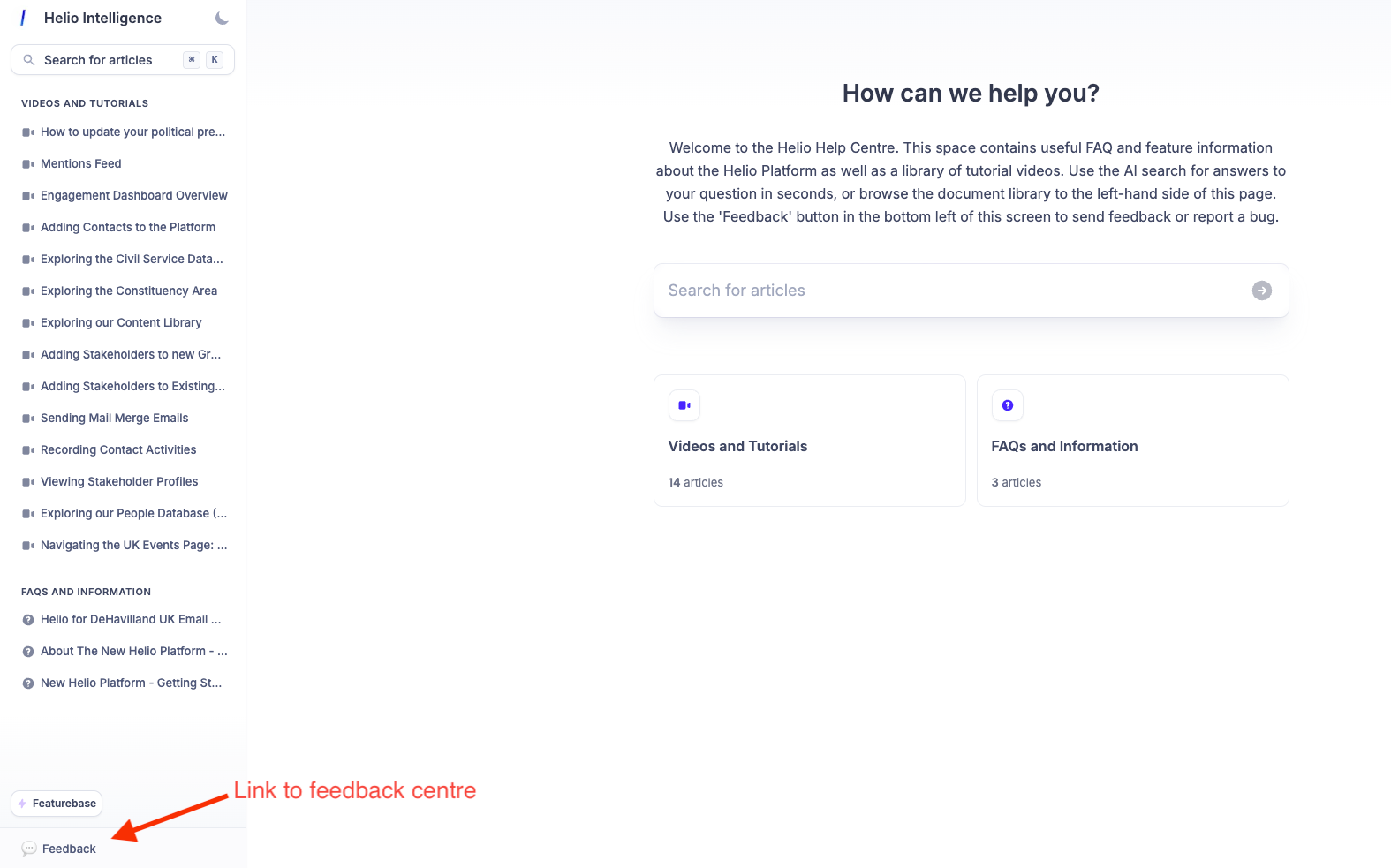
You’ll find the button to record and submit a bug/ feature request or log feedback in the bottom left-hand corner of the screen in the Helio Help Centre:
0:00
Welcome to the Helio Feedback Centre. In here, you can record bugs and issues that you've come across when using the platform, request a feature improvement, and just log generic feedback.
0:15
So you've got three different form types. In here, this page will be linked to from the Help Center, which has the video tutorials and other supporting documentation as well.
0:26
And in here, the three different types of forms are bugs. So within here, we ask that you provide a feedback.
0:32
As much information as possible around replicating an issue you've experienced or come across. We've got feature improvement where we'd like to hear any sort of suggestions or feature improvements to areas that you would like to see.
0:48
as well as more rounded generic feedback elements that you'd like to provide us in addition to the service that you get.